Custom apps

Apps for your home screen.

Small web apps you can add to your phone straight from the browser, on iPhone, Android, and Samsung alike. No App Store, no account, no download. Tap a link, save it to your home screen, and it behaves like a real app.

Free to use, built for everybody, not just big companies. The same belief runs through the business systems I build: useful software should not be priced like a luxury.

Same Page app preview

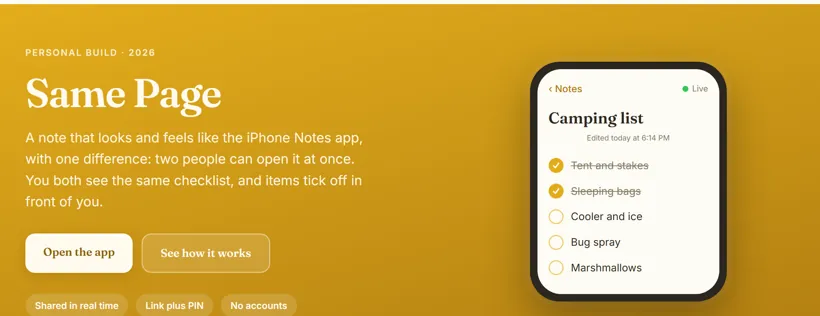
Same Page

A note that works like the iPhone Notes app, except two people can open it at once. Make a list, tap Share, and send a link and a four digit PIN. Whoever you send it to opens the note in their own list, and from then on you both see the same thing. Check an item off and it ticks off on their screen too, with no refresh and no accounts. The shared text lives behind a PIN, so the link alone opens nothing.
  • Shared notes
  • Real time
  • Link plus PIN
  • No accounts
Boredom Button app preview

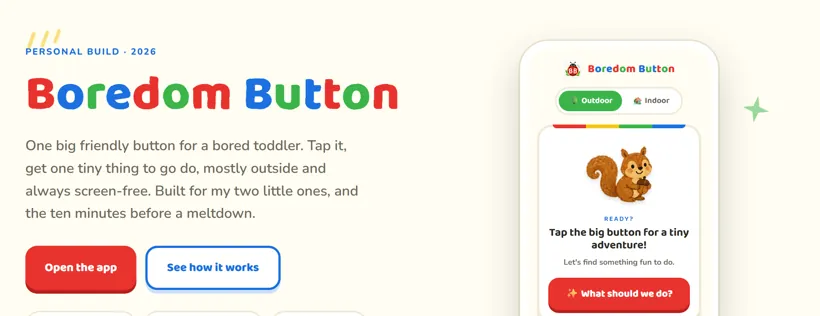
Boredom Button

One big friendly button for a bored toddler. Tap it and get one tiny, doable, screen-free thing to go do, mostly outside. There are 49 warm little missions, each with its own hand-painted crayon character, plus an indoor set for when the weather will not cooperate. No menus, no reading, no ads, and nothing ever leaves the phone.

  • Kids
  • Screen-free
  • Single file
  • No tracking
Quiet Quest app preview

Quiet Quest

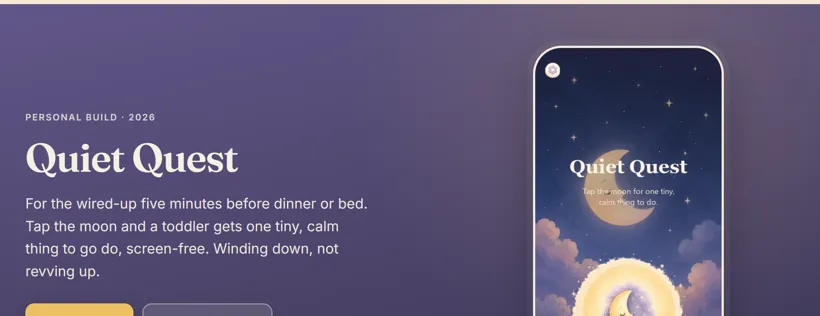
A gentle wind-down for the wired-up five minutes before dinner or bed. Tap the breathing moon and a toddler gets one tiny, calm, screen-free thing to go do: curl up like a sleepy fox, whisper goodnight to three things, find something soft and hold it close. There are 40 hand-painted missions, never the same one twice, and it runs fully offline once it is saved to the home screen.

  • Kids
  • Wind-down
  • Single file
  • Works offline
Wanderer app preview

Wanderer

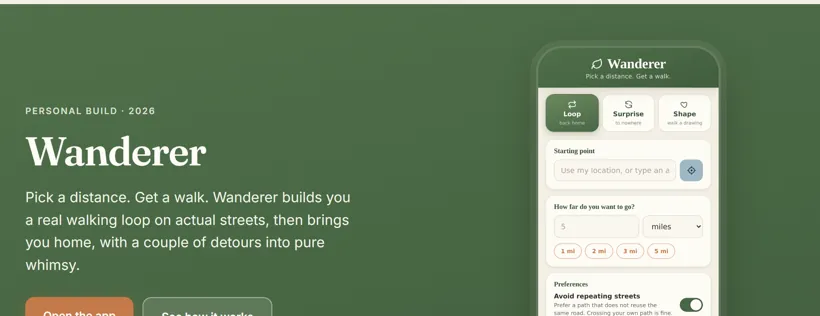
A walking app that builds you a real loop to any distance on actual streets, then brings you home. Pick miles, kilometers, or a step goal, and every tap gives you a different route, so you never walk the same three loops again. It also has two less serious modes: Surprise, which flings you in a random direction and leaves getting home to you, and Shape, a game where you try to walk a heart, a star, or a cat over the map.

  • Walking
  • Single file
  • Privacy-light
  • Needs a free API key

Uses a free API key. How to get one →

The Daily Movement app preview

The Daily Movement

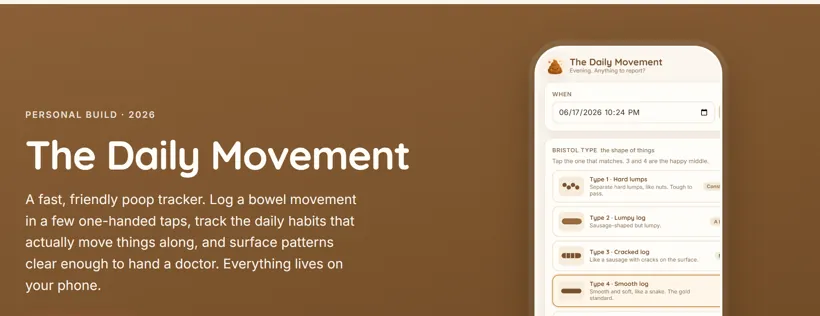
A fast, friendly poop tracker. Log a bowel movement in a few one-handed taps on the Bristol scale, then track the water, fiber, movement, and sleep that actually keep things regular. Over time it surfaces the patterns on its own, and one tap turns the whole record into plain text you can hand a doctor. Clinically sound where it counts, a little silly where it can be, and every entry stays on your phone.

  • Gut health
  • Bristol scale
  • Single file
  • Private by default
What's for Dinner? app preview

What's for Dinner?

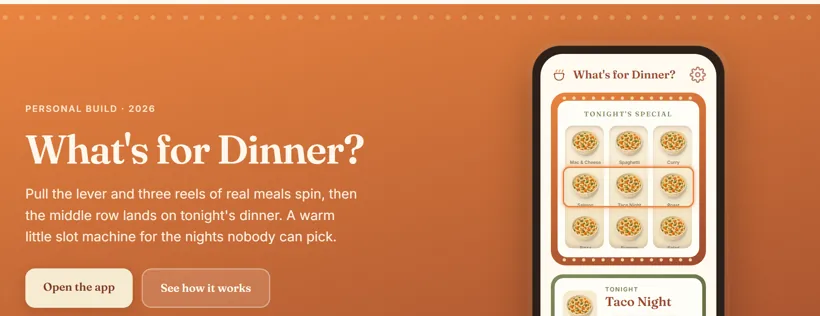
A warm little slot machine for the nights nobody can decide. Pull the lever, three reels of real meals spin, and the middle row lands on tonight's dinner. It only ever spins through meals you actually eat, never repeats last night's pick, and has a weeknight filter for thirty-minute meals. Works fully offline, with an optional AI sous-chef if you ever want a fresh idea.

  • Meal picker
  • Slot machine
  • Single file
  • Works offline
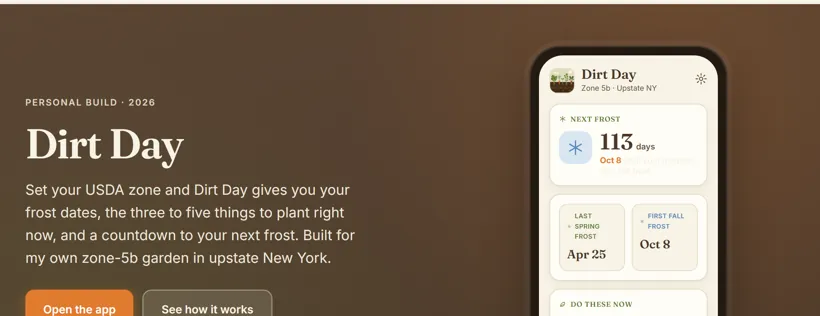
Dirt Day app preview

Dirt Day

A gardening app that answers the only three questions that matter: when are my frost dates, what should I plant right now, and how long until the next frost. Set your USDA zone once and it bakes in your last spring and first fall frost, then shows the three to five things worth doing this week, each tuned to your zone and the date. All 26 half-zones are built in, so it runs fully offline with no account and no API key.

  • Gardening
  • USDA zones
  • Single file
  • Works offline
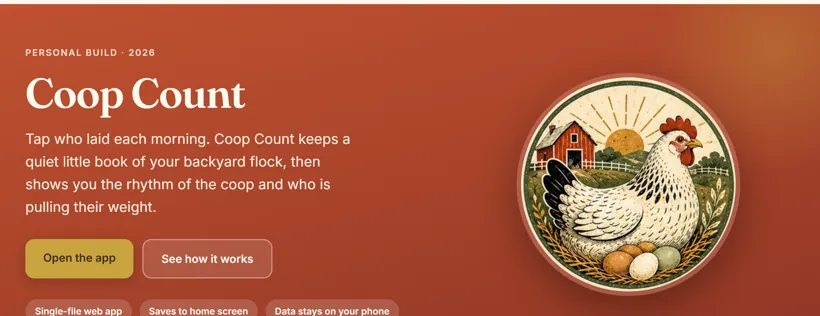
Coop Count app preview

Coop Count

A warm little egg book for your backyard flock. Each morning you walk the coop and tap who laid, drop any mystery eggs into an unattributed count, and the daily total adds itself up. Over the weeks it charts the rhythm of the coop and ranks who is reliable and who is slacking. Give every hen a name, breed, and egg color, and everything stays on your phone.

  • Homestead
  • Egg tracker
  • Single file
  • Data stays on phone
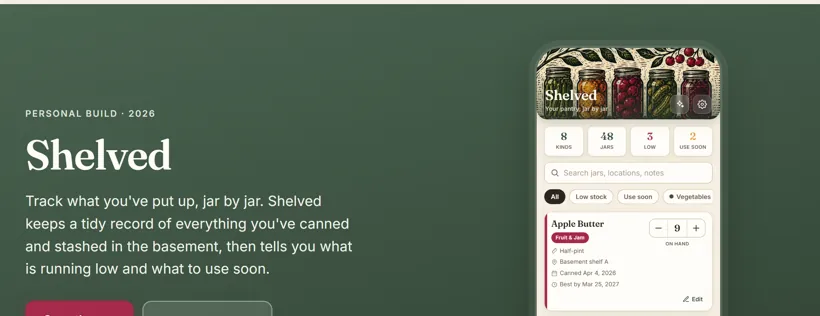
Shelved app preview

Shelved

A pantry inventory for everything you've canned and stashed in the basement. Log each jar as you put it up, tap minus when you open one, and Shelved keeps a running tally plus a quiet eye on what is low and what to use soon. Search by name, location, or note, set your own thresholds, and export a backup any time. Your whole shelf, on your phone, and nowhere else.

  • Homestead
  • Canning inventory
  • Single file
  • Data stays on phone
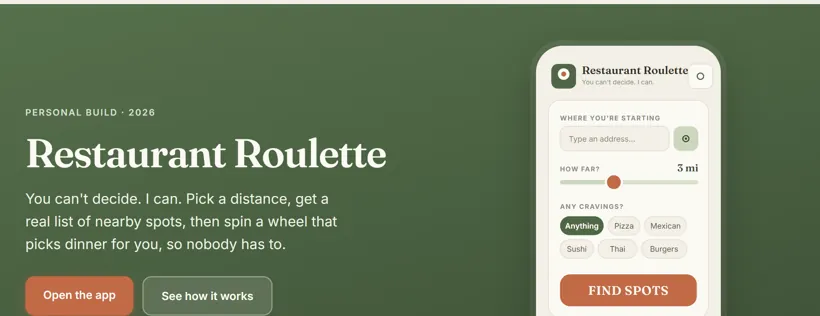
Restaurant Roulette app preview

Restaurant Roulette

Ends the where-should-we-eat stalemate. Pick a distance and Roulette pulls real open restaurants near you from OpenStreetMap, not a sponsored top-ten list. Uncheck the ones nobody is feeling, then spin a little carnival wheel that lands on tonight's dinner and hands it off to Maps. No accounts, no tracking, and nothing to argue about.

  • Dinner decider
  • OpenStreetMap
  • Single file
  • No accounts
Chore Chooser app preview

Chore Chooser

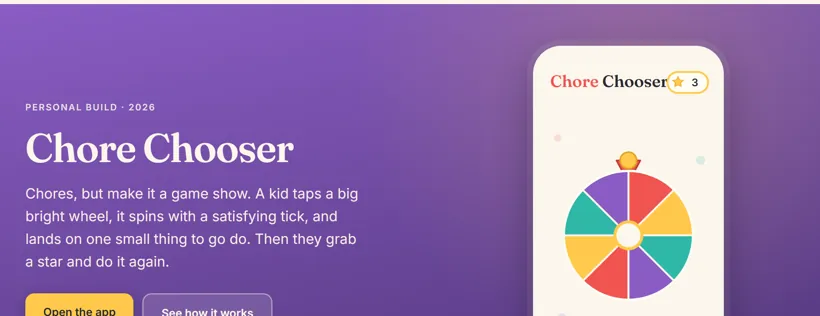
Chores, but make it a game show. A kid taps a big bright wheel, it spins with a satisfying tick, and lands on one small thing to go do, then they tap "I did it" for a cheer and a star. Grown-ups set the chore list behind a quick check, the stars only ever count up, and it runs fully offline with nothing saved off the phone.

  • Kids
  • Chores
  • Single file
  • In progress
Kid Kounter app preview

Kid Kounter

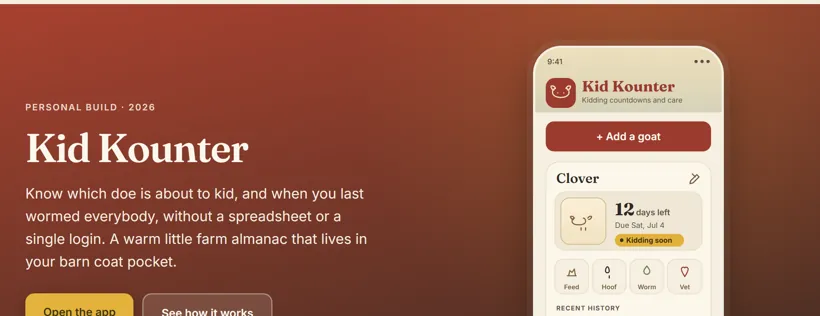
A warm farm almanac for goat keepers. Enter a doe's breeding date and Kid Kounter runs the 150-day kidding countdown and works out her due date, flagging who is kidding soon or overdue. One-tap logging for feeding, hoof trims, worming, and vet notes keeps a per-goat history. Fully offline, no accounts, all on the phone.

  • Homestead
  • Goats
  • Single file
  • In progress
Seed Box app preview

Seed Box

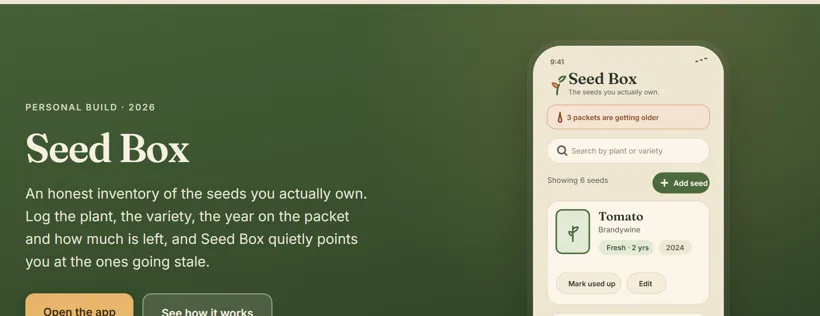
An honest inventory of the seeds you actually own. Log the plant, variety, packet year, and how much is left, and Seed Box does the freshness math, quietly flagging which packets to sow before they fade. Search, filter, and sort the whole stash, and mark a packet used up without losing its record. Everything stays in local storage on your phone.

  • Gardening
  • Seed inventory
  • Single file
  • In progress
Pick4Me app preview

Pick4Me

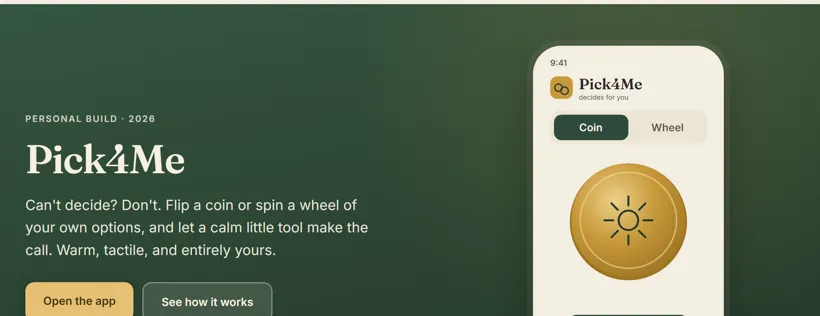
Can't decide? Let it decide. Flip a tactile coin for the yes-or-no moments, or spin a wheel of your own options for everything bigger. Save named wheels for dinner, chores, or what to watch, anywhere from two choices up to a dozen. Fully offline, gentle ticks, and nothing ever leaves the phone.

  • Decider
  • Coin & wheel
  • Single file
  • In progress
One Good Thing app preview

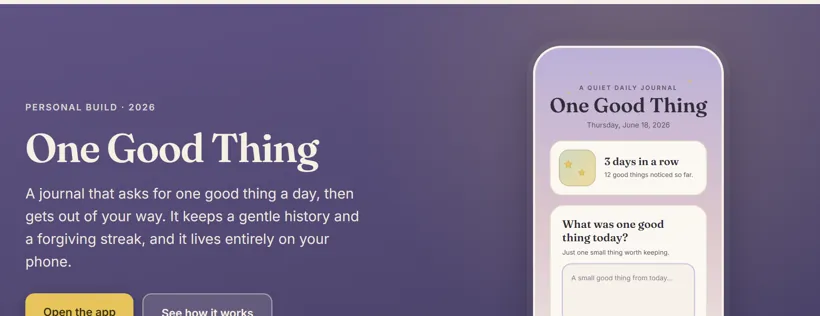
One Good Thing

A quiet daily journal that asks one easy question: what was one good thing today? Write it down, keep a soft, scrollable history, and lean on a forgiving streak that never scolds you for missing a day. Now and then an old entry resurfaces as a gentle remember this. Everything lives only on your phone.

  • Journal
  • Gratitude
  • Single file
  • In progress

Got an idea?

Most of these started as one small annoyance. If there is a little app you wish your phone had, I build these for people too. Tell me what you are dreaming up and let's make it real.

Let's build it
How to install

Put an app on your home screen

These are web apps, so there is nothing to download and no App Store involved. You save one to your home screen and your phone treats it like the real thing, full screen and all. Here is how on each kind of phone.

iPhone and iPad

In Safari

  1. Open the app link in Safari. Add to Home Screen is a Safari feature, so it will not appear in Chrome on an iPhone.

  2. Tap the Share button, the square with an arrow pointing up, in the toolbar.

  3. Scroll down the share sheet, tap Add to Home Screen, then tap Add.

Android

In Chrome

  1. Open the app link in Chrome. A proper app often shows an Install banner on its own, so just tap that.

  2. If no banner appears, tap the three dot menu in the top right.

  3. Tap Install app or Add to Home screen, then confirm.

Samsung

In Samsung Internet or Chrome

  1. Open the app link in Samsung Internet or Chrome.

  2. Open the menu, the three lines in Samsung Internet or the three dots in Chrome.

  3. Tap Add page to, then Home screen, or Add to Home screen, and confirm.

Most of these apps save your data right on the device, in the browser you used. That means it lives per phone and per browser, so what you add on one phone will not show up on another. A few that are made to be shared, like Same Page, say so right on their own card.

Free API key

Setting up the key some apps need

A few of these apps, like Wanderer, draw real routes from OpenRouteService, a free mapping service. Each person uses their own free key, which is what keeps the apps private and free to share. Here is how to get yours.

  1. Create a free account

    Go to openrouteservice.org and sign up. It is free, and confirming your email takes a minute.

  2. Open the developer dashboard

    Sign in, then head to the dashboard where your tokens live.

  3. Request a token

    Create a free token on the Standard plan. The free quota is more than enough for personal walking routes.

  4. Paste it into the app

    Copy the key, open the app, go to Settings, and paste it in. The key stays on your phone and nowhere else, which is why the app link is safe to share.

Get an OpenRouteService key
Questions

Good to know

Are these apps free?

Yes. Every app on this page is free to use, with no account and no App Store. A couple use a free API key you set up once, and this page walks you through it.

Do I need to download anything or sign up?

No. You open a link in your phone browser and save it to your home screen. From then on it behaves like a real app, usually fully offline, with nothing to install and no sign-up.

Where does my data go?

For most of these, nowhere. Your data stays in your phone browser storage, on that one device. The few apps that share or sync, like Same Page, say so right on their card.

Can I get a custom app or system for my business without an enterprise budget?

Yes. These little apps each start as one specific annoyance, and I build them for people too. For business systems like ordering, booking, or loyalty, that is what Keiter & Co. builds, scoped to fit small-business budgets rather than big-company ones.

Got an idea?

Want a small app that does one thing well?

If there is a tiny tool you keep wishing your phone had, tell me about it. The best small apps usually start as someone's specific annoyance.

Looking for a custom app or system for your business, like ordering, booking, or loyalty? That is what Keiter & Co. builds.

Tell me about it